 LikeThis
How to copy the pose and angle of a photo
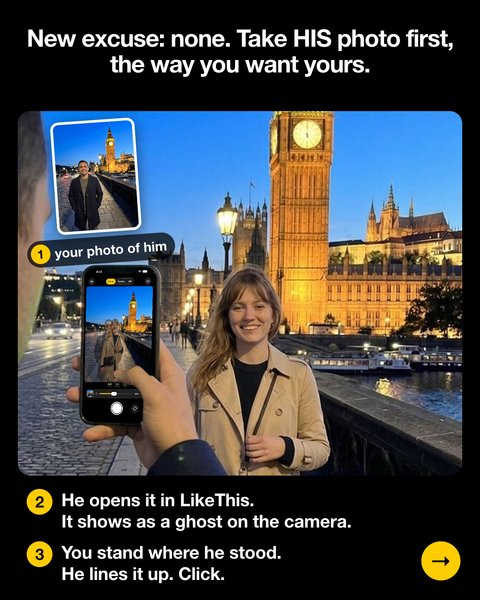
Copy the camera position first, then the pose. The easy way: take his photo first with the angle you want. He opens it in LikeThis, and it shows as a see-through ghost on his camera. He matches the horizon and the background, you step into the ghost and do the pose, and he shoots.
Last updated: 2026-10-20
The angle makes the pose
The same pose looks different from a low camera and from a high camera. That is why copying only the pose rarely works, and why "lower, no, LOWER" never ends well. Most travel and influencer photos use one of three set-ups:
- Low and wide: phone at hip height, 0.5x lens, long legs, big background.
- Eye level: phone at the eyes, 1x lens, a natural look.
- Far and zoomed: the photographer steps back and zooms in, so the background looks big behind the person.
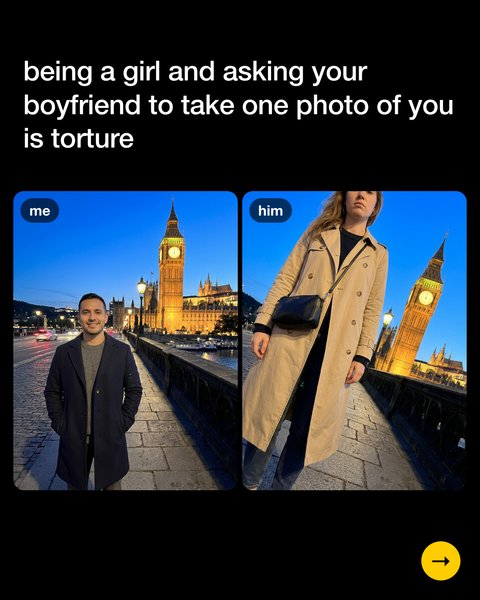
Me vs. him 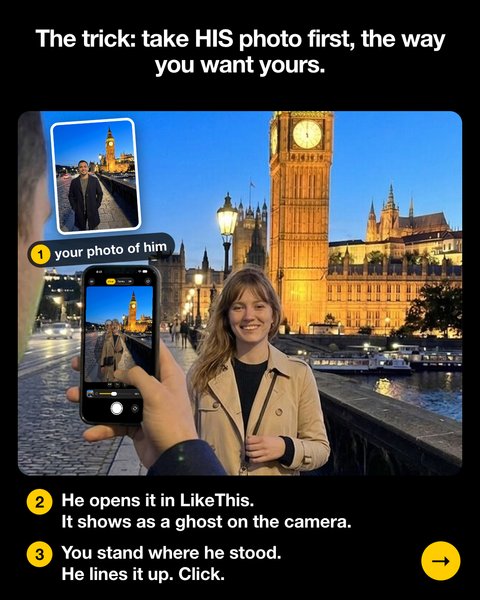
The trick: his photo first 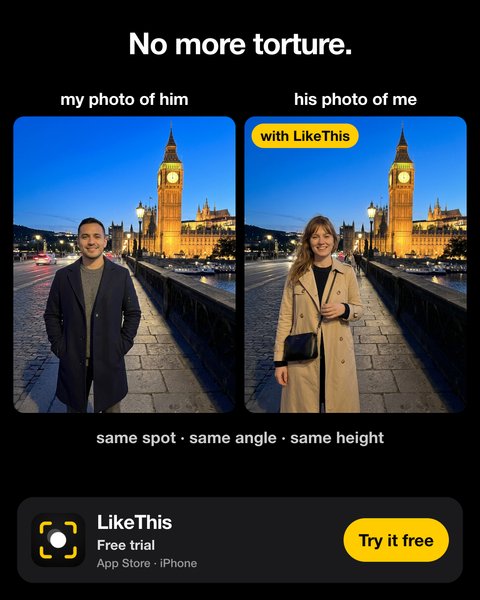
With LikeThis
The people in these example photos are AI-generated. They are illustrations, not LikeThis customers.
Step by step
- Pick the set-up you want (low and wide, eye level, or far and zoomed).
- Put him in the spot and take his photo with that set-up. You choose the angle; he just stands there.
- He opens your photo of him in LikeThis. It is now a ghost on his camera.
- He matches the background first: the horizon, buildings and edges. This sets the height, distance and tilt.
- You step into the ghost and do your pose: feet, hands, head. He takes a few shots, and you compare them with the before-and-after slider.
Copying a photo you saved instead? Open that photo in LikeThis as the ghost. It works the same way, as long as you can stand where that photographer stood.
Related
Questions people ask
Is there an app that shows a pose on the camera?
Yes. Pose-guide apps show stock poses. LikeThis shows any photo you pick as a see-through guide on the live camera: your photo of him in the spot, or a photo you saved. That way he copies the exact angle, and you do the pose.
How do I find the camera angle of a photo?
Look at the horizon and the lines of buildings. A horizon low in the frame means the camera was low. Straight vertical lines mean the camera was level. With the photo as a ghost on the camera, you see the angle match when the lines sit on top of each other.
Does LikeThis use AI to change my photo?
No. LikeThis does not generate, edit or beautify photos with AI. It shows a reference photo over the real camera, and he takes a real photo of you. It helps with four things: framing, angle, height and distance.
Is LikeThis free?
LikeThis is free to download, and your first shot is free. To keep shooting, you need LikeThis Pro: $4.99 a week or $29.99 a year, both with a 3-day free trial, or a one-time lifetime purchase. These are US prices on 2026-10-20; the App Store shows the price in your currency.
Take his photo first. He takes care of the rest.
For iPhone and iPad with iOS 16 or later. Your first shot is free.